AK
RS
MP
SlideClick turns your iPhone or Android phone into a PPT remote, slide clicker and laser pointer. Walk around, talk to the room, and tap Next from anywhere. The laser even shows up on Zoom.
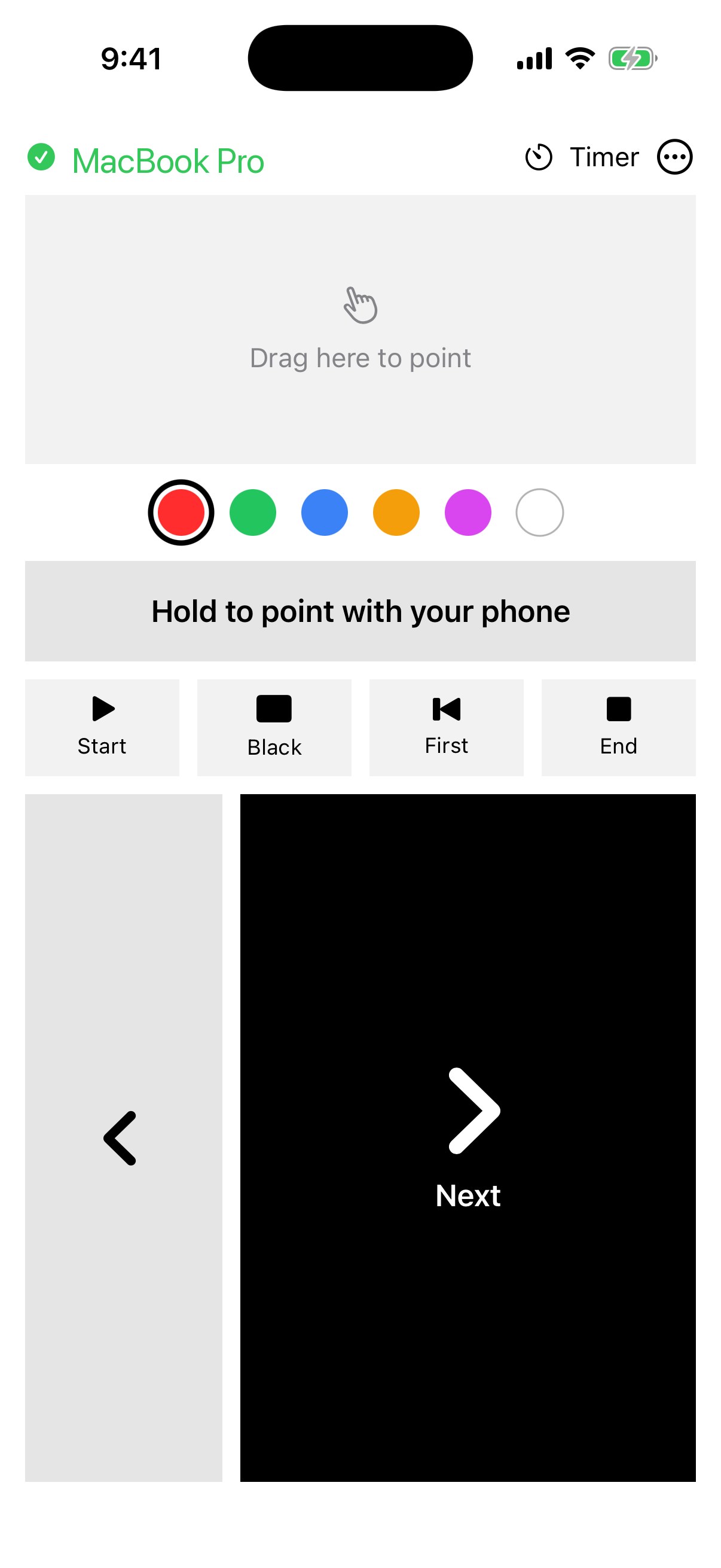
Three things that go wrong in almost every talk, meeting and class, and how SlideClick fixes them.
You lose eye contact every time you turn to change a slide. With SlideClick you can walk the room, face your audience, and tap Next on your phone. The slide moves instantly.
A normal laser only works in the room. SlideClick draws the red dot right on your screen, so everyone watching your screen share on Zoom, Google Meet or Teams sees exactly what you're pointing at.
Clickers cost money, need batteries, and are never in your bag when you need them. Your phone is always in your pocket. Open SlideClick and you're ready.
Watch your phone pair, change a slide and point the laser. Drag to spin it around.
Your phone and computer talk over your Wi-Fi. No cables, no Bluetooth pairing, no account.
A tiny free helper that sits in your menu bar. It shows a 4-digit code.
The phone finds your computer on the same Wi-Fi. Enter the code once and it remembers.
Start your slideshow and tap Next. Hold the laser button and point your phone at the screen.
No subscription. No account. The Mac app is always free.
Your iPhone isn't allowed to press keys on your computer by itself. The small SlideClick Mac app receives the tap from your phone and presses the arrow key for you. That's also how it can draw the laser dot on your screen.
Keynote, PowerPoint, Google Slides in your browser, and PDF viewers. Basically anything that moves to the next slide with the arrow key.
Yes. They talk directly over your local network. Nothing goes through the internet.
Yes. Download SlideClick for Windows (Windows 10 and 11, new and in beta). When Windows asks, allow it through the firewall so your phone can find your PC. On Mac it needs macOS 14 or newer.
macOS needs this permission for any app that presses keys for you. SlideClick only presses slide keys (arrows, start, end, black screen) when your phone tells it to.
No. No account, no ads, no tracking. Your phone and computer only talk to each other. See our privacy policy.
Download the free Mac app now. The iPhone and Android apps are coming soon to the App Store and Google Play.
Download for Mac (free)